Services / What we do

UI/UX Design
Services

The UX & Design Services We Offer

Five services covering the whole route from an untested idea to a consistent interface your team can maintain.

Design

Product Design

End-to-end design for a digital product: user research, information architecture, interaction design and the final interface. Suited to a new product, or to an existing one where the usage numbers have stopped making sense.

User ResearchInformation ArchitectureInteraction DesignUI Design
Planning

Wireframing

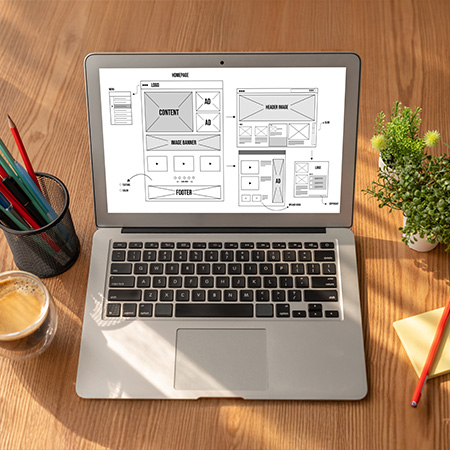
Structure settled before anything gets styled. Screen layouts, content hierarchy and user flows, annotated with how each element behaves, so the argument about what goes where happens while it is still cheap to change.

Low-Fidelity WireframesPage LayoutsUser FlowsContent Hierarchy
Testing

Prototyping

Clickable versions of the product, built to be tested rather than admired. We put them in front of real users, watch where they hesitate, and fix the flow before a developer writes anything.

Interactive PrototypesClickable MockupsUser Flow TestingUsability Testing
Components

Design Systems

Reusable components, tokens and usage rules, so every new screen costs less than the last one. Controlled testing on IBM's Carbon system found roughly 47% less median engineering time on component-heavy work.

Reusable ComponentsDesign TokensComponent LibrariesUI Guidelines
Creative

Graphic Designing

Brand and marketing assets that match the product: identity systems, pitch and sales decks, campaign and social creative, print collateral. Built as templates your own team can use, not one-off files they have to come back for.

Brand IdentityMarketing CollateralSocial Media GraphicsPresentation Design

Explore

The same five stages as every Webmyne project, with the evidence gathered early.

1

Discover

Your users, their current workarounds, and the business outcome the design is meant to move.

2

Define

Information architecture, user flows and wireframes, agreed before any visual direction is applied.

3

Build

Interface design, interactive prototypes, and the component library the build will be assembled from.

4

Test

Usability sessions with real users, plus accessibility checks against WCAG, before handover.

5

Launch & support

WDeveloper handover with specifications and assets, then design support as the product changes.

Ready To Put Your Interface In Front Of Real Users?

Send us the screen people complain about, or the idea you have not tested yet. We will tell you what we would check first, and what it would take to fix.

Plan your project